
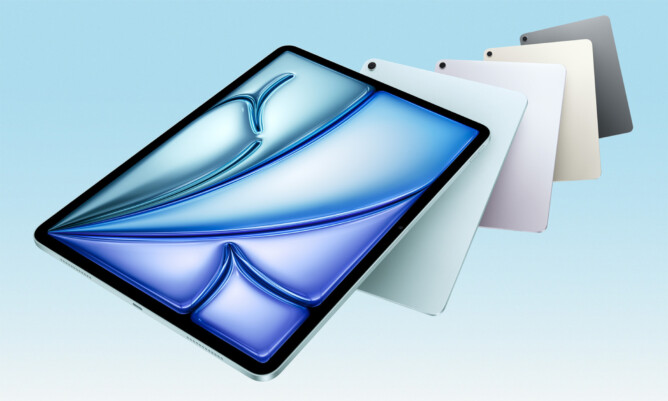
After using iPad mini for almost 7 years, I finally decided that it is time to get a new iPad. I still believe that iPad mini has the best form factor (size and weight) for me, but I must face reality that as I am getting older, it is getting difficult to read comic books on iPad mini screen. Some pages with long dialogues can be quite challenging to read.
My choice this time is iPad Air. I mostly use iPad to consume content instead of to create, so I do not need the extra capabilities from Pro models. I know that iPad Air will definitely feel noticeably heavier than iPad mini, but I hoped that I can still do several use cases with one hand (mostly reading). Naturally, 11″ iPad Air would be my choice since I do not want my iPad to be too heavy.
I imagined that having M3 processor is probably going to be a bit of an overkill for a device to read books and comics. But since it could be beneficial to play some movies with the modern compression, I decided that it is useful to future-proof my purchase.
There was no surprise when I received my new iPad Air. It came in a familiar box, looking similar to many other Apple devices I have used for years. Initial set up was easy as I simply restored everything from iPad mini. Or at least that’s what I thought. When I checked my comic book apps, I could not see my books (I have offline collections instead of online reading). Then I realised that years ago I set up my apps to exclude my books from backup to minimise my use of expensive iCloud storage. So I had to turn on backup for those apps, do a full backup to my Mac, and then restored it to the new iPad Air. It worked in the end, but it sure caused a bit of roller-coaster feeling.
iPad Air 11″ M3 has beautiful display 11-inch Liquid Retina display (2360 x 1640 resolution, 500 nits, P3 wide color, True Tone) noticeably better than my old iPad mini. Took me a few days to get used to the fact that I don’t have front-faced home button for my fingerprint anymore. Now I need the power button at the top for TouchID. I was also a bit surprised that I do not get FaceID with iPad Air (only available for iPad Pro). Fortunately, it is only a nice-to-have feature and not a dealbreaker.
Seeing the front camera at landscape position is a bit new. When I use the iPad on portrait orientation, the camera is now on the right bezel, and it took some time to adjust my grip so that I avoid the camera. Not sure if I even need to do that in the first place.
M3 processor is fast. Almost everything feels like instant. So far, I have not done anything that would require its full speed, so I consider it as a sitting investment for not. 8GB RAM is a massive improvement from 3GB RAM in my iPad mini 5.
Technically, iPad Air M3 supports Apple Pencil Pro. Thankfully it still works with my old Logitech Crayon. Since I only use this for casual note-taking once in a while, there is no need for additional spending to upgrade to Pencil Pro.
Last but not least, the weight. Obviously I did not expect the same weight as my old iPad mini. I can feel my new iPad Air noticeably heavier. However, so far I can still do most of my use cases with one hand. Therefore, I consider this mission accomplished. Good iPad that meets my expectations and some more. Would easily recommend this.
Leave A Comment