
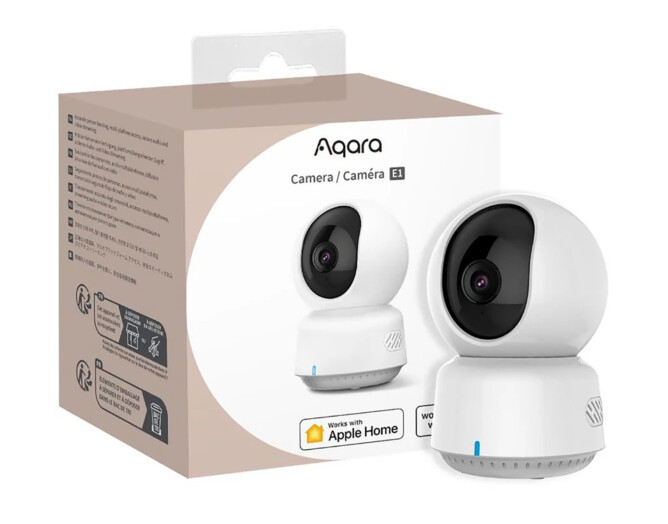
HomeKit-compatible cameras are generally more expensive compared to the ones with Google Home or Alexa compatibility. This if for a good reason because to offer compatibility to HomeKit, an accessory must meet Apple’s stringent set of standards. However, now that HomeKit has been around for good several years, some affordable options are starting to appear in the market. After the first good impression with Aqara Video Doorbell G4, I decided to try Aqara’s version of low-cost HomeKit camera.
Aqara 2K Camera E1 is an indoor camera capable to capture 1296p video resolution, but it goes down to 1080p when used with HomeKit due to Apple’s limitation. Other than Apple’s HomeKit, it is also compatible with Aqara Home, Google Home and Alexa. This review focuses on using this camera with HomeKit. Experiences with other ecosystems might vary.
This camera has built-in microphone and speaker, allowing 2-way communication. Thanks to its pan and tilt function, this camera allows 360 degree view, with user can move the camera view remotely. It tracks human and can be set to automatically follow movement. We can set this camera to do 24 hours recording (using internal microSD card paid cloud storage from Aqara) or selective recording in Apple iCloud. Users on 50GB plan can add a single camera, 200GB plan can add up to 5 cameras, 2TB plan can add unlimited cameras. The video recording itself will not count towards the iCloud capacity, Apple simply restricts how many cameras can be added depending on the plan tier.
Initial set up was simple and straightforward. Video quality is good. I was previously impressed with the night time video from Eufy Indoor Cam, and this Aqara camera does not disappoint. Aqara 2K Camera E1 does equally better job with night time video, with a little bonus that it seems to send me less false detection notifications.
Another feature that I find very useful is the ability to set a default camera pan-and-tilt position. After following the last movement, my Eufy camera would stay at the last position until I manually change it, or until there is a new movement detected. With Aqara E1, I can set it to always return to a default angle after movement detection and I ended up appreciating this feature more than I initially thought. Maybe because I could not move the pan-and-tilt from Home app, I have to do it from the manufacturer’s app (Aqara or Eufy), with auto reposition, the Aqara camera view from HomeKit becomes quite consistent.
The feature to block certain area within the camera’s view can be quite handy to respect neighbour’s privacy or other circumstances where we do not need the whole camera view. I do not personally use this feature, but I can easily see how it can be useful for some people.
This is a good and reliable camera for its price. Definitely would recommend this for anyone looking for affordable camera for Apple HomeKit.
Leave A Comment